Auto dial from an Android phone and your regular SIM
Load a list once and the next number is placed the moment the last call ends. No typing, no dead time between calls — and no IVR, no VoIP and no virtual numbers, because it dials straight through the SIM your team already carries.
WasType a number, dial, hang up, type the next one. All day.
NowTap once. It calls the whole list, one after another.
Android phone
Your regular SIM
No IVR
No VoIP
No virtual number
No IVR · No VoIP · No virtual numbers
It rings from the SIM already in your phone
Almost every other auto dialer runs on the internet from a call centre setup: you rent numbers, build a press-1-for-sales menu (an IVR), pay by the minute, and your customer sees a number they do not recognise. This is an Android app that dials through the SIM your team already carries.
01 Your own number is what showsCustomers see the number they already know, so they answer. No rented number, no unknown number on their screen, no "who is this?" before you can even speak.
02 Nothing to set up firstNo press-1-for-sales menu to build, no telecom line to buy, no paperwork, no setup call with a phone company. Install the app, load a list, press start.
03 Calls cost what they always didCalls go over the normal mobile network on the plan you already pay for, at the usual rates and the usual quality — not a per-minute internet-calling bill on top of it.
The difference
Cloud dialer, or the phone in your hand
Both dial a list. Only one of them needs a whole telecom setup first — and only one of them keeps your own number in front of the customer.
✕
Typical cloud / IVR dialer
✓
This app
Rent a virtual number for every caller
Uses the SIM already in the phone
Build a press-1-for-sales menu before you can make one call
Install, load a list, press start
A per-minute internet-calling bill on top of your phone plan
Your normal call plan, normal rates
Customer sees an unknown number and ignores it
Customer sees your own known number
Call quality drops the moment the internet is weak
Calls go over the mobile network like any normal call
A separate CRM where somebody has to type what happened
Status, note and follow-up logged in the same app
The problem
What this actually fixes
Three things that cost you money today. Open any one to see what it is really costing.
01 PainHalf the day goes into typing numbersFixThe next number dials itself the moment the last call ends. Nobody touches the keypad.+
What it costs · A caller loses 15–20 seconds between every call. Over 100 calls that is most of an hour, every day, per person.
02 PainThe list gets lost halfway throughFixThe session tracks its own place. Pause, skip or come back tomorrow and it resumes exactly where it stopped.+
What it costs · A caller forgets who was already tried, so some people get called twice and others never at all.
03 PainEvery other dialer wants an IVR and a virtual numberFixNo IVR, no VoIP, no virtual number. It is an Android app dialling through your own SIM, so your real number is what rings.+
What it costs · Cloud dialers mean renting numbers, building call menus and paying by the minute. And the customer sees a number they do not recognise, so they do not pick up.
How it looks
Three taps, start to finish
1
Step 1
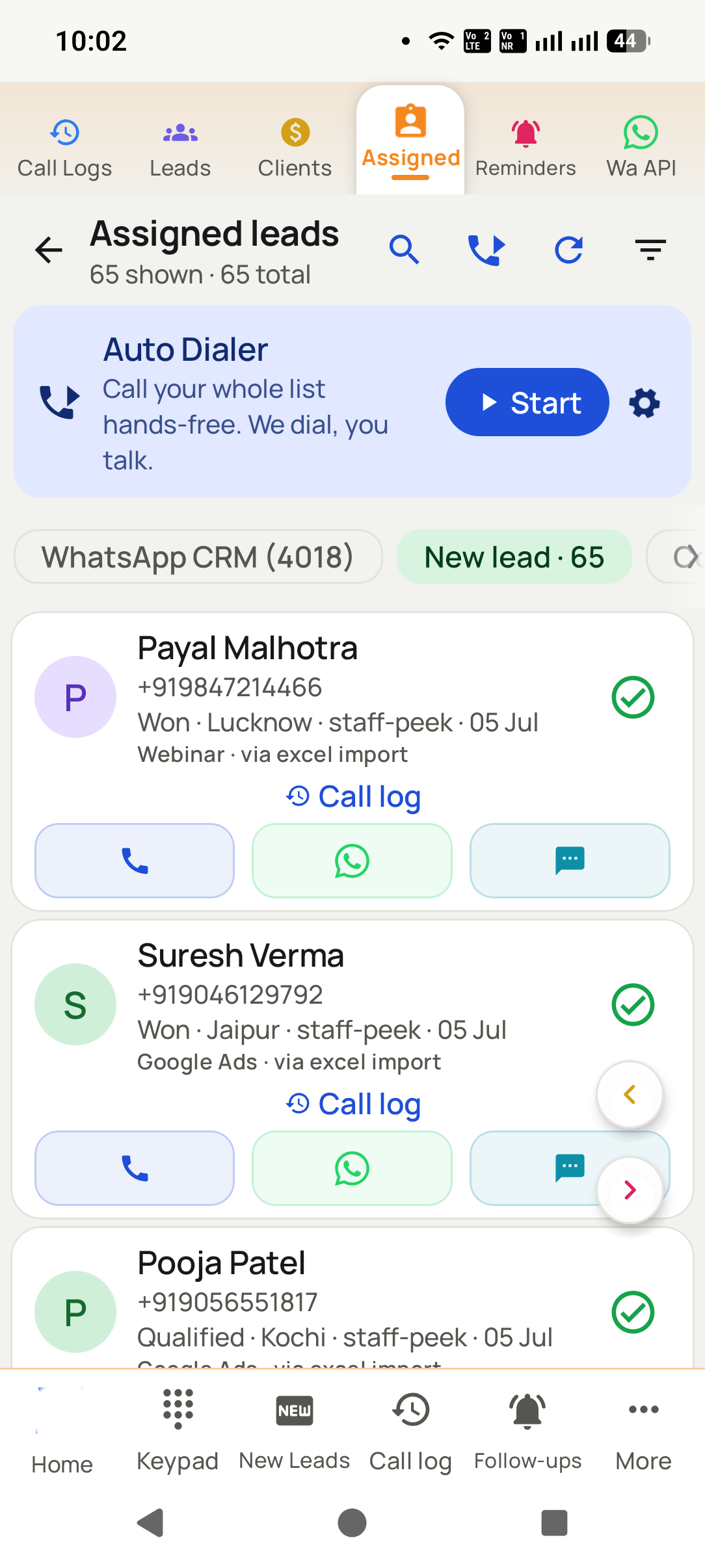
Pick the list
Any segment, filter or import becomes a calling session.
2
Step 2
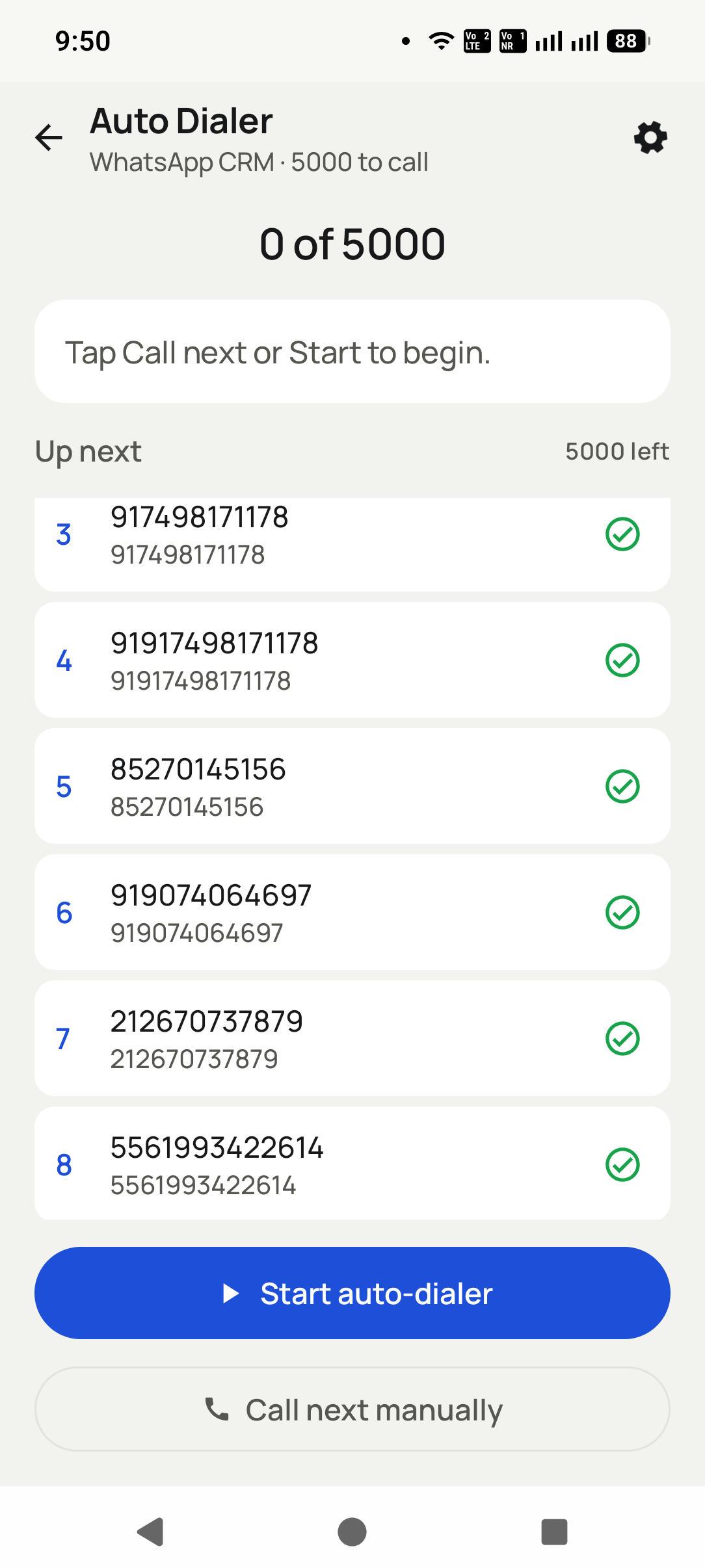
It dials for you
Each call is placed automatically from the SIM as soon as you finish the last one.
3
Step 3
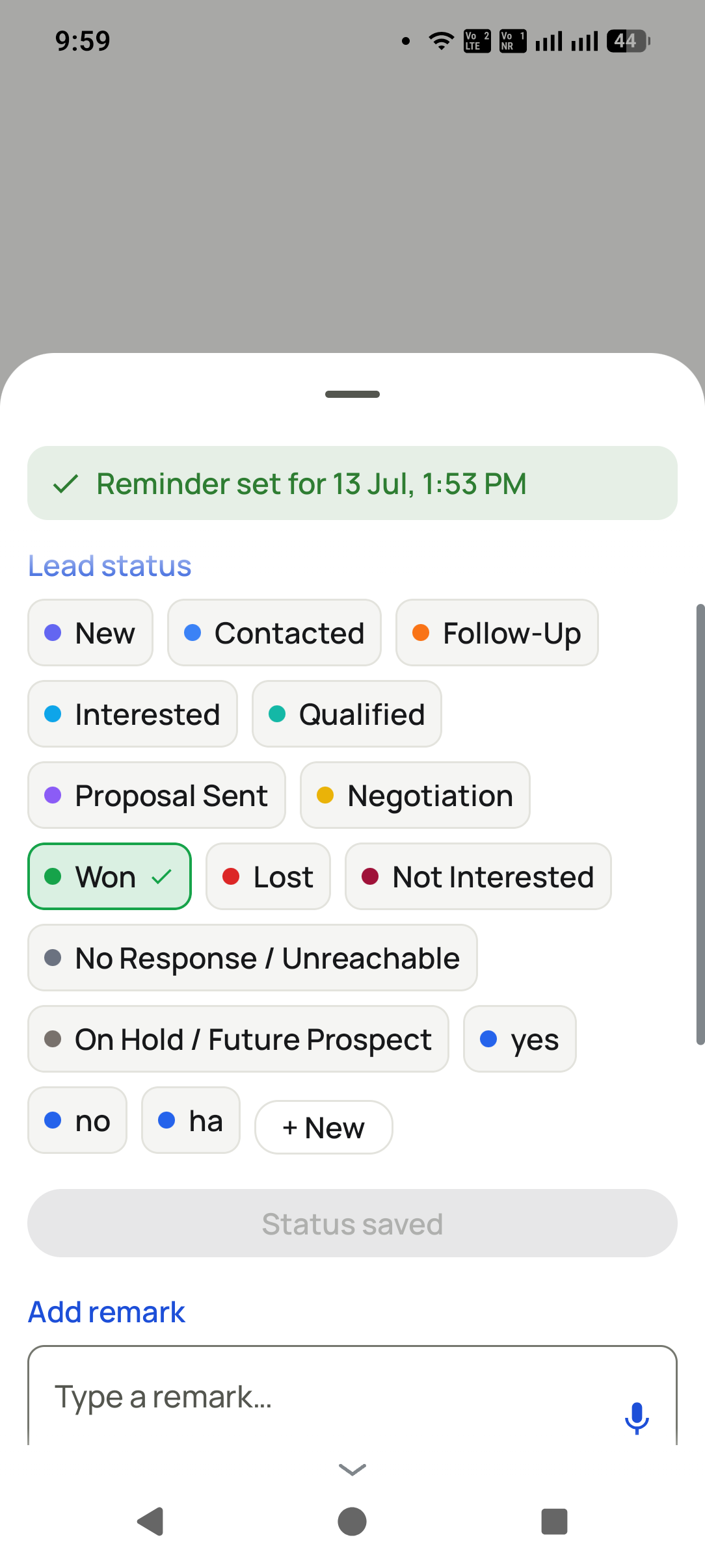
Log in one tap
Status, remark and the next follow-up are saved together when the call ends.
What you get
Everything in this pillar
Dials from the device SIM — normal call quality, normal call cost
Auto-advance with a gap you control between calls
The after-call sheet captures status, note and follow-up in one save
Skip, redial or pause the session without losing your place
Works from any list: leads, a filtered segment, or an imported sheet
Automation
Automatic WhatsApp when a call ends
Set the rule once and the customer is messaged on their own — before the caller has even put the
phone down. No copying numbers, no switching apps, nothing to remember.
A call endsAnswered, missed or never connected — each can send its own message.
A status changesInterested, quoted, won: every stage can confirm itself.
A product is soldThe buyer gets the receipt, the details or the next step.