Send one message to thousands, on the official API
Pick an approved template, pick who it goes to, and send. Names and details fill in per person, delivery is reported back per contact, and every reply lands in an inbox inside the app — next to the customer it belongs to.
WasCopy number, open WhatsApp, paste, type the same message again.
NowOne campaign reaches thousands, each one personalised.
The headline feature
Bulk WhatsApp, done properly
Not a script blasting from a personal number — the official Business API, with approved templates, real delivery reports and replies that come back to the right customer.
01 Thousands in one sendSent in small batches by itself, so a big campaign never crosses WhatsApp’s limits or puts the number at risk.
02 Personalised per contactName, product, amount, due date — each message is filled in from that customer’s own record.
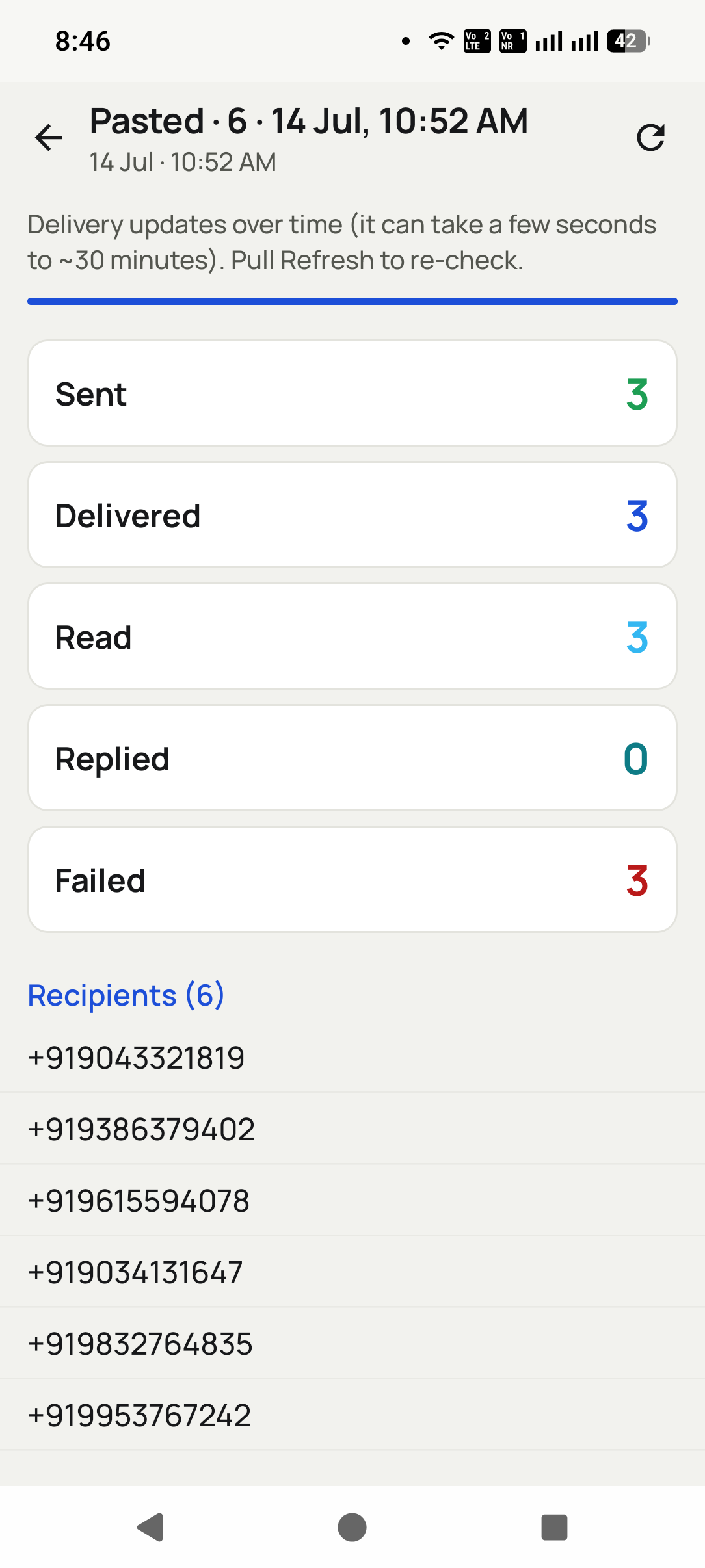
03 You see what landedSent, delivered, read and failed, per person, so you know exactly who to chase.
The problem
What this actually fixes
Three things that cost you money today. Open any one to see what it is really costing.
01 PainEvery message is typed by hand, twiceFixPick a template, pick who it goes to, send. Names and details fill themselves in per person.+
What it costs · Copy the number, switch app, paste, retype the same details. Ten minutes per customer that buys you nothing.
02 PainPersonal WhatsApp gets banned for bulkFixIt runs on the official WhatsApp Business API, with approved templates and real delivery reports.+
What it costs · Sending the same message to 200 people from a personal number is the fastest way to lose that number.
03 PainReplies land where nobody looksFixReplies land in an inbox inside the app, marked unread, on that customer’s own record.+
What it costs · A customer answers a campaign and it sits unread in a phone someone left on a desk.
How it looks
Three taps, start to finish
1
Step 1
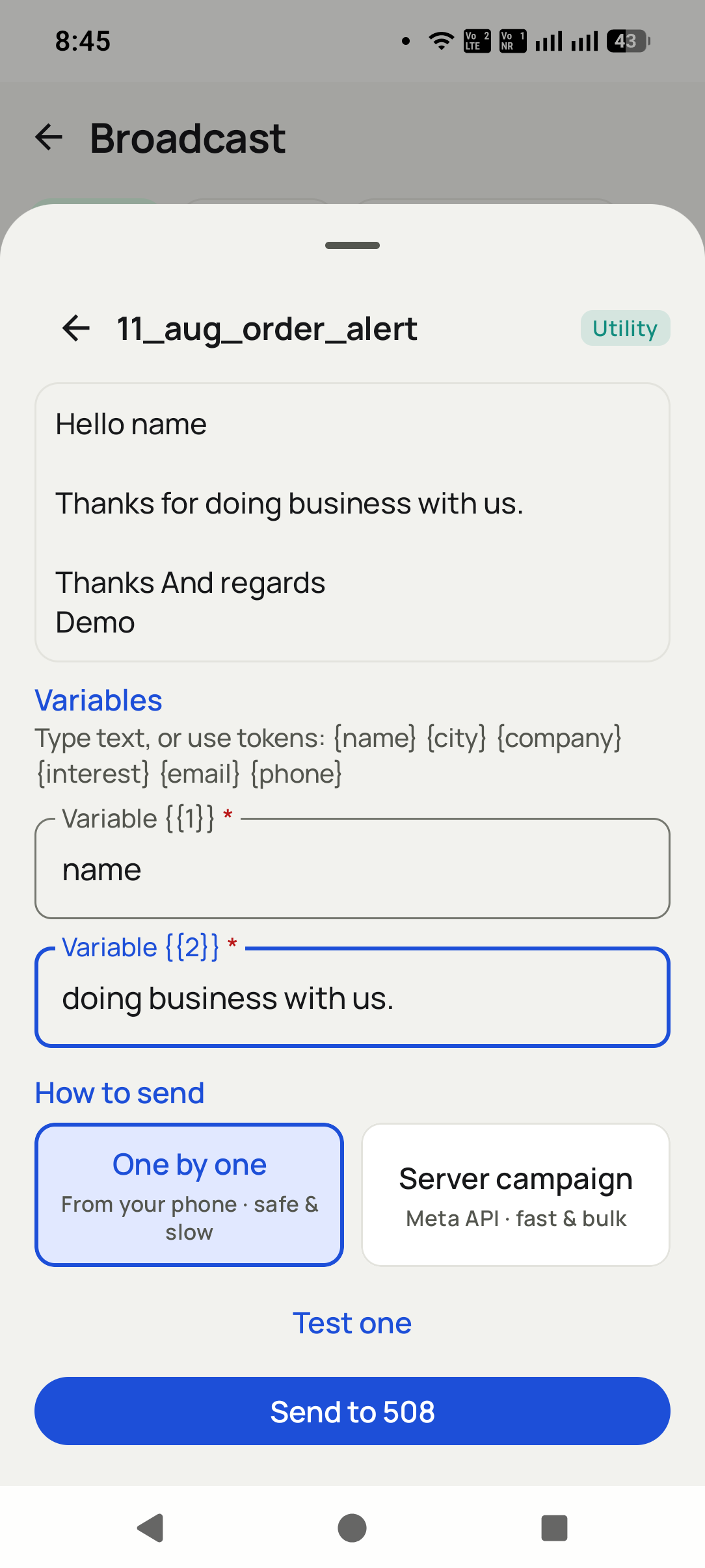
Pick the template
Choose an approved template and fill the blanks once.
2
Step 2
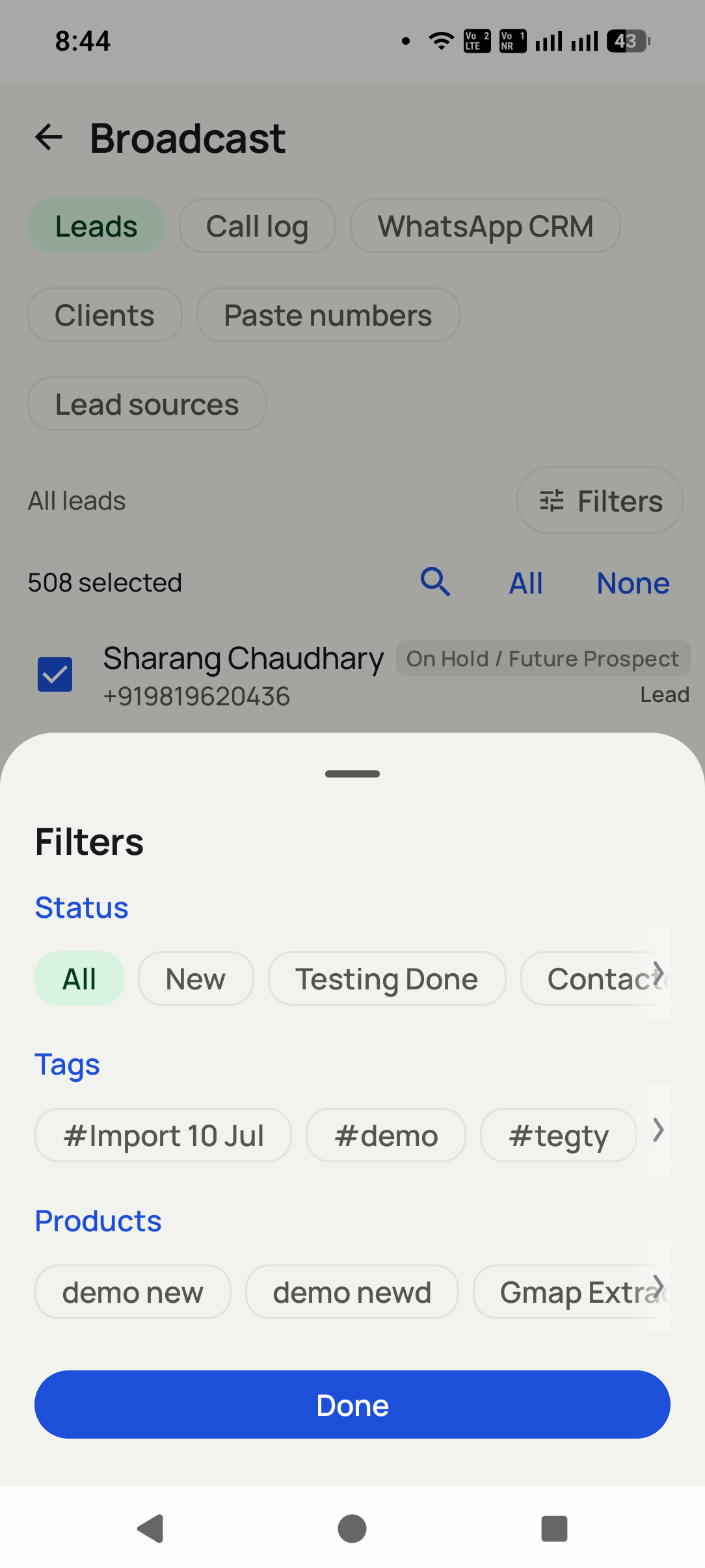
Choose who gets it
Any group, filter or imported list becomes your send list.
3
Step 3
Send and watch it land
Delivery comes back per contact — sent, delivered, read, failed.
What you get
Everything in this pillar
Bulk campaigns to thousands, on the official WhatsApp Business API
Per-contact variables — every message reads as if it was written for them
Image, video and document headers on a template
Live delivery reporting: sent, delivered, read and failed, per contact
Send to any group you like: a filter, a tag, or a sheet you imported
Automatic batching so a large send never trips the rate limits
Two-way inbox with unread and needs-reply badges
Auto WhatsApp on call end, status change or a product being sold
Quiet hours, cooldowns and ask-first rules so nobody gets spammed
Already a customer
Meta API panel login
Manage your WhatsApp Business API account in the browser: templates and their approval status,
numbers, campaign reports and delivery logs.
Set the rule once and the customer is messaged on their own — before the caller has even put the
phone down. No copying numbers, no switching apps, nothing to remember.
A call endsAnswered, missed or never connected — each can send its own message.
A status changesInterested, quoted, won: every stage can confirm itself.
A product is soldThe buyer gets the receipt, the details or the next step.
Sending the same message to hundreds of people from a personal WhatsApp is the fastest way to lose that number. This runs on the official WhatsApp Business API with approved templates, which is the route Meta intends for business sending.
Do I need a WhatsApp Business API account?
+
Yes, for bulk and automatic sending. The app walks you through connecting one, and whoever you bought the app from can set it up with you.
Does everyone get the exact same message?
+
The template is the same. The content is not. Name, product, amount and due date fill in from each customer's own record, so every message reads like it was written for them.
How do I know the message arrived?
+
You see sent, delivered, read and failed for each person, so you know exactly who to chase instead of guessing.
Where do the replies go?
+
Into an inbox inside the app, marked unread, sitting on that customer's own record next to their call history.
How many can I send at once?
+
Thousands. They go out in small batches by itself so a big send never crosses WhatsApp's limits or puts the number at risk.
Next step
Put your own name on it
Your brand, your logo, your colour, your Play listing. The platform underneath is already built and already live.